Modern driving is defined by continuous connectivity, intuitive control, and effortless safety. At the center of the modern Subaru driving experience is the powerful synergy between the MySubaru app and Subaru STARLINK® in-vehicle technology. Designed to turn your smartphone into a virtual command post, this paired ecosystem allows you to interact with your vehicle from virtually anywhere—whether you are sitting at your desk in downtown St. Louis, relaxing at home in Ladue, or preparing for a weekend road trip through the Ozarks.
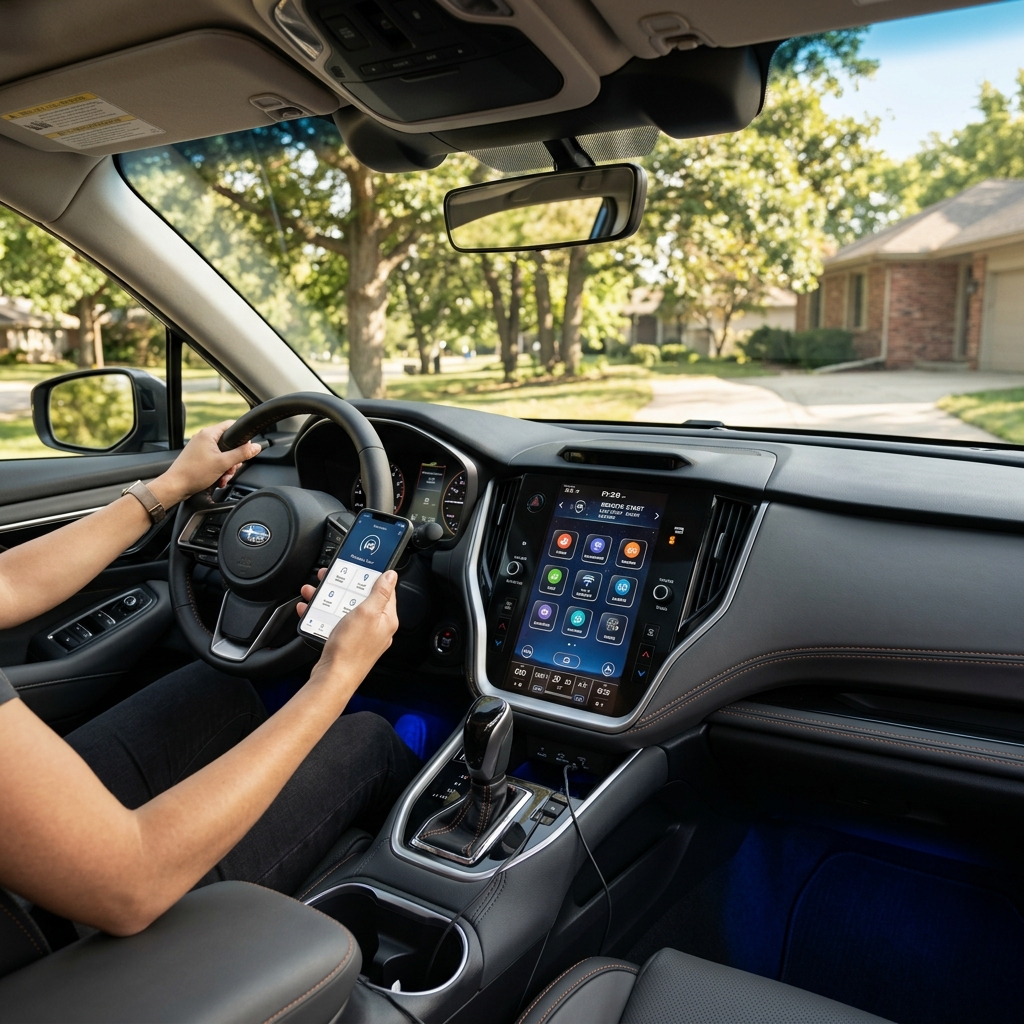
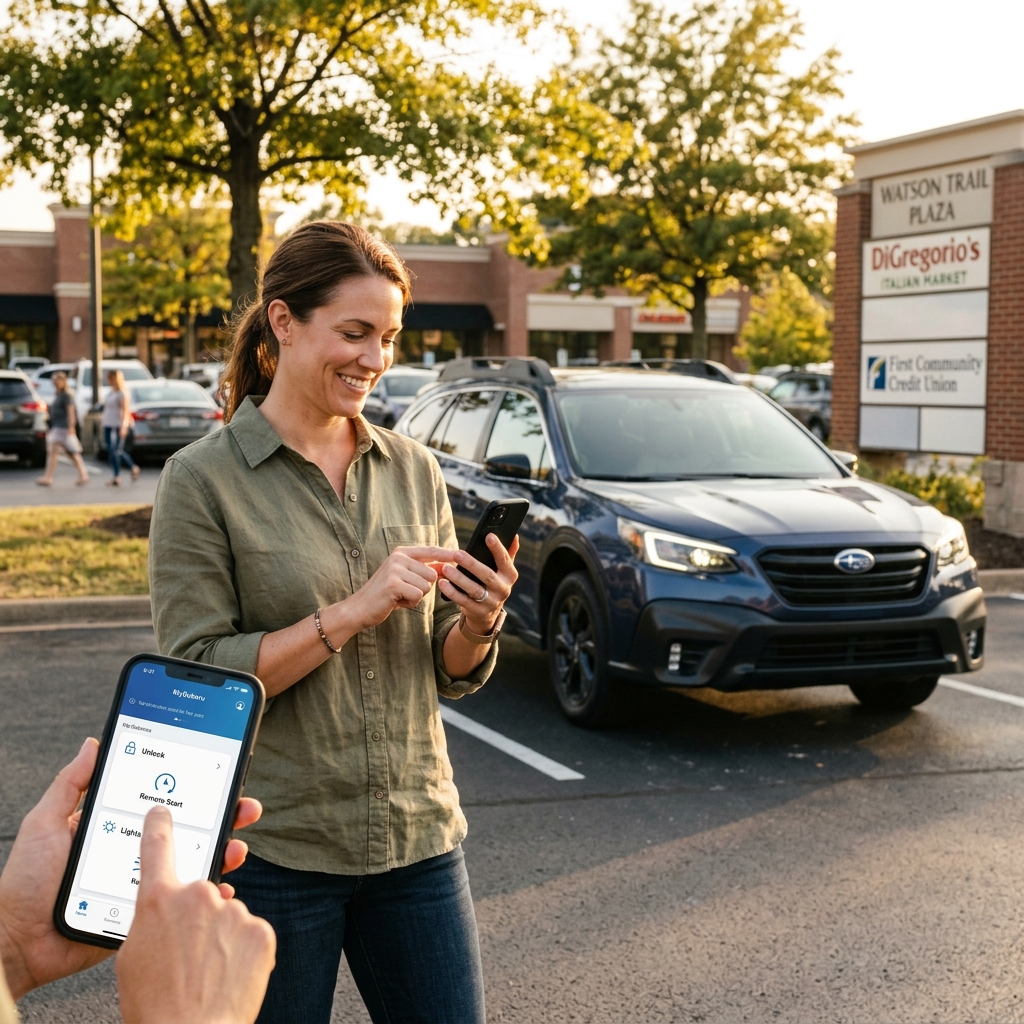
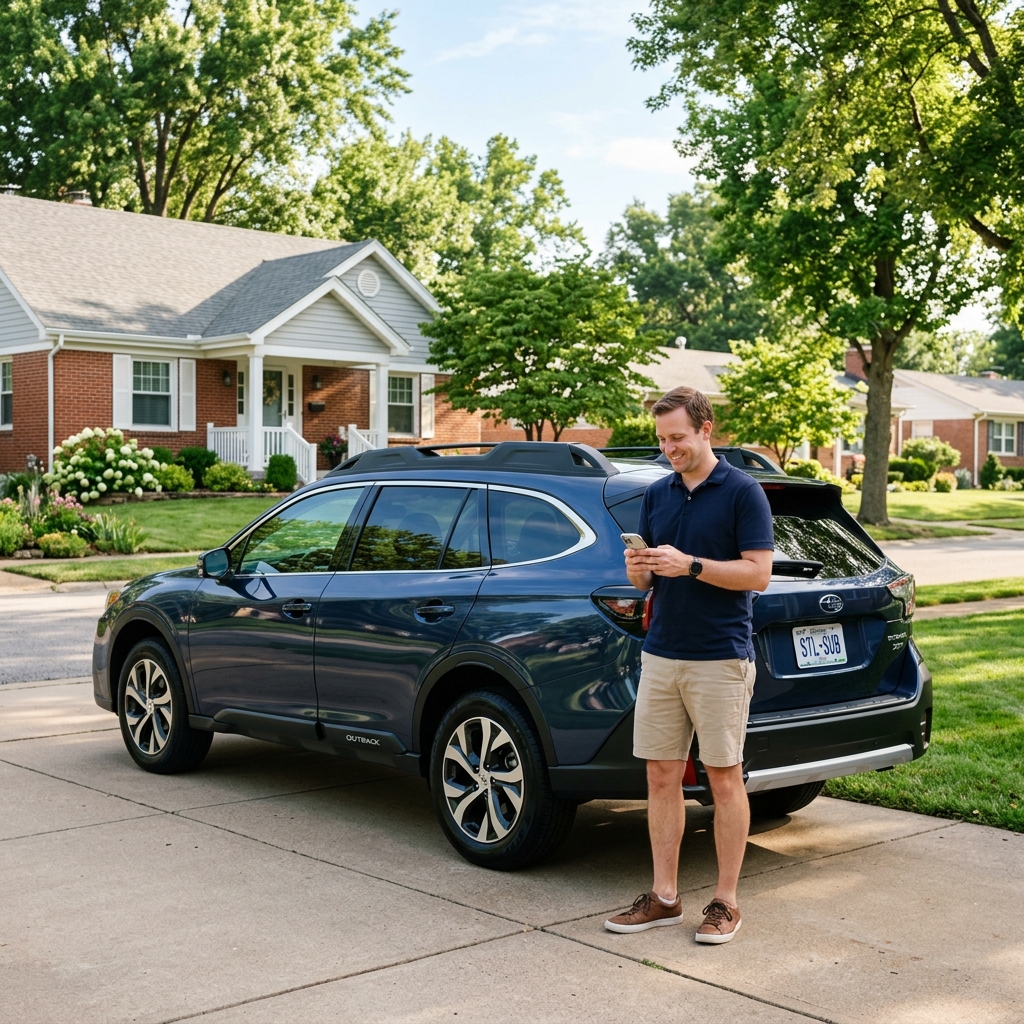
So, how exactly do the two systems interface? Subaru STARLINK represents the hardware and embedded software built into your vehicle, including cellular transmitters, GPS modules, emergency buttons, and the high-resolution touchscreen display. The MySubaru mobile app serves as your personal remote control interface. By transmitting encrypted data over secure 4G LTE cellular networks, the MySubaru app sends commands directly to STARLINK in your car, enabling instant actions such as remote engine start, climate control pre-conditioning, remote door locking and unlocking, vehicle location tracking, real-time health diagnostic monitoring, and automated emergency responses.
Whether you are looking at our latest New Subaru Inventory at Sunset Hills Subaru or seeking to unlock the full potential of your current vehicle, understanding how MySubaru and STARLINK work together ensures you maximize comfort, safety, and operational convenience every single day. Let us explore the complete feature suite, setup procedures, and real-world advantages of this industry-leading telematics system.
What Safety and Remote Features Does Subaru STARLINK Include?
STARLINK Safety Plus Services
STARLINK Safety Plus establishes a comprehensive safety net designed to protect you and your passengers during critical moments on the road:
• Automatic Collision Notification: In the event of an airbag deployment, the vehicle immediately alerts an emergency response specialist who attempts to communicate with occupants and dispatches first responders directly to your GPS coordinates. • SOS Emergency Assistance: A simple push of the red SOS button on your overhead console connects you directly with a STARLINK representative during medical or roadside crises. • Enhanced Roadside Assistance: Mechanical trouble or flat tires trigger location-based assistance at the push of a button. • Maintenance & Health Reports: Monthly automated vehicle health summaries and instant diagnostic alert notifications keep you informed of crucial servicing needs.
STARLINK Security Plus Upgrades
Upgrading to Security Plus adds advanced remote access controls and anti-theft safeguards directly accessible via the MySubaru mobile app:
• Stolen Vehicle Recovery & Immobilizer: Coordinates directly with local law enforcement to pinpoint your stolen vehicle’s position and prevent the engine from restarting. • Remote Horn & Lights / Door Lock: Flash lights or lock/unlock your vehicle remotely anywhere in the country. • Remote Engine Start with Climate Control: Start the engine and pre-condition cabin temperatures remotely. • Boundary, Speed & Curfew Alerts: Set digital geofences and alerts when non-primary drivers exceed predefined parameters. Explore models equipped with these safeguards in our New Subaru Outback Inventory.
Can Subaru STARLINK Start Your Car Remotely and Preheat the Cabin?
Winter Frost Pre-Heating
Missouri winters bring freezing mornings to Ladue and Sunset Hills. Through the MySubaru app, drivers can initiate Remote Engine Start with Climate Control, set cabin temperatures to 72°F, activate heated seats, defrost windshields, and warm side mirrors before ever stepping out the front door.
Summer Air Conditioning
During humid August afternoons, step into a perfectly refreshed interior. Set climate parameters to Max A/C, adjust ventilation recirculate settings, and cool down leather seating across models found in our New Subaru Forester Inventory prior to your afternoon commute.
Custom Preset Profiles
Save up to four custom climate presets in the MySubaru app. Create standard profiles for ‘Winter Warming’, ‘Summer Cool Down’, ‘Defrost Mode’, or ‘Eco Mode’ to quickly trigger complex cabin settings with a single tap on your smartphone.
What Features Are Available on the 11.6-Inch Subaru STARLINK Touchscreen?
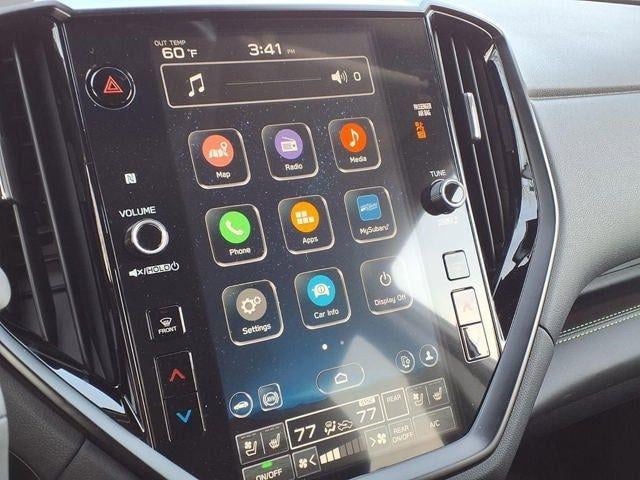
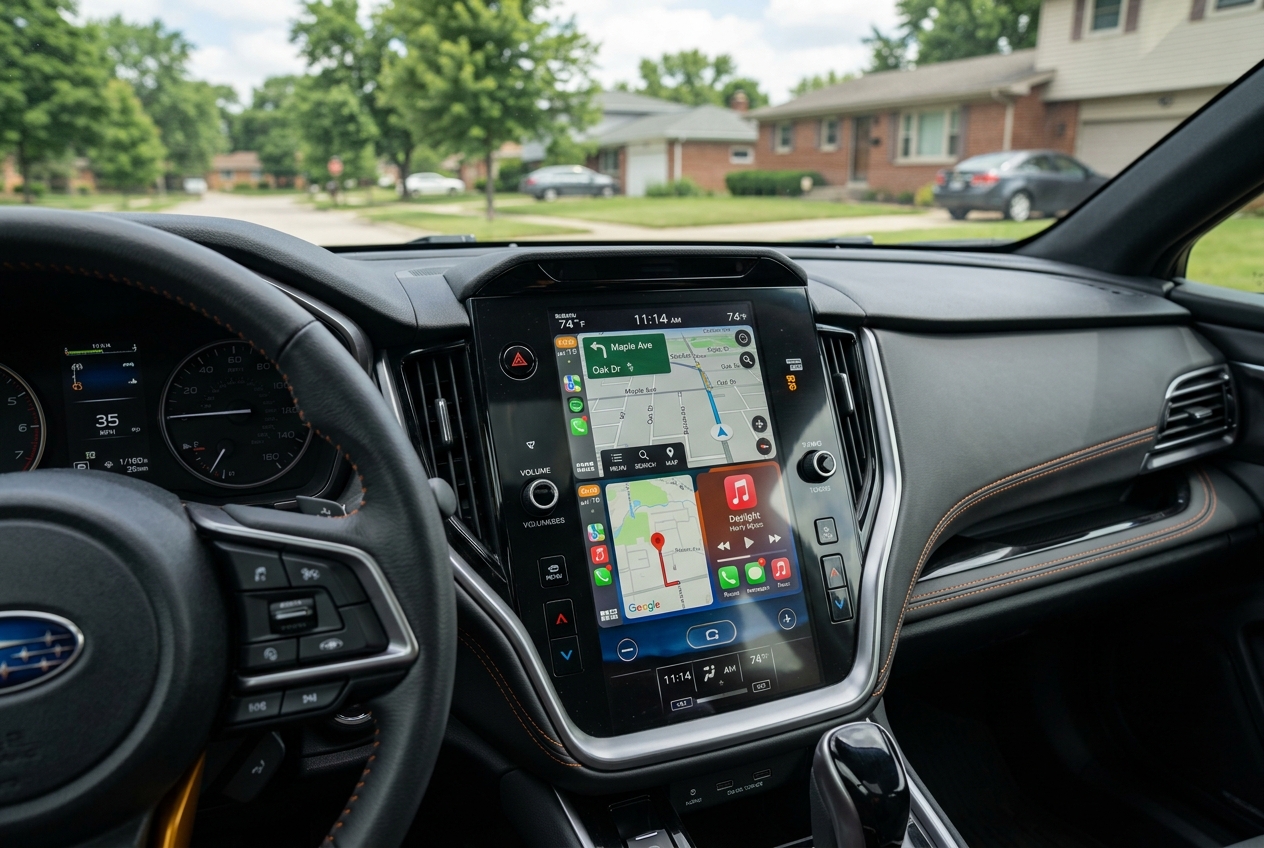
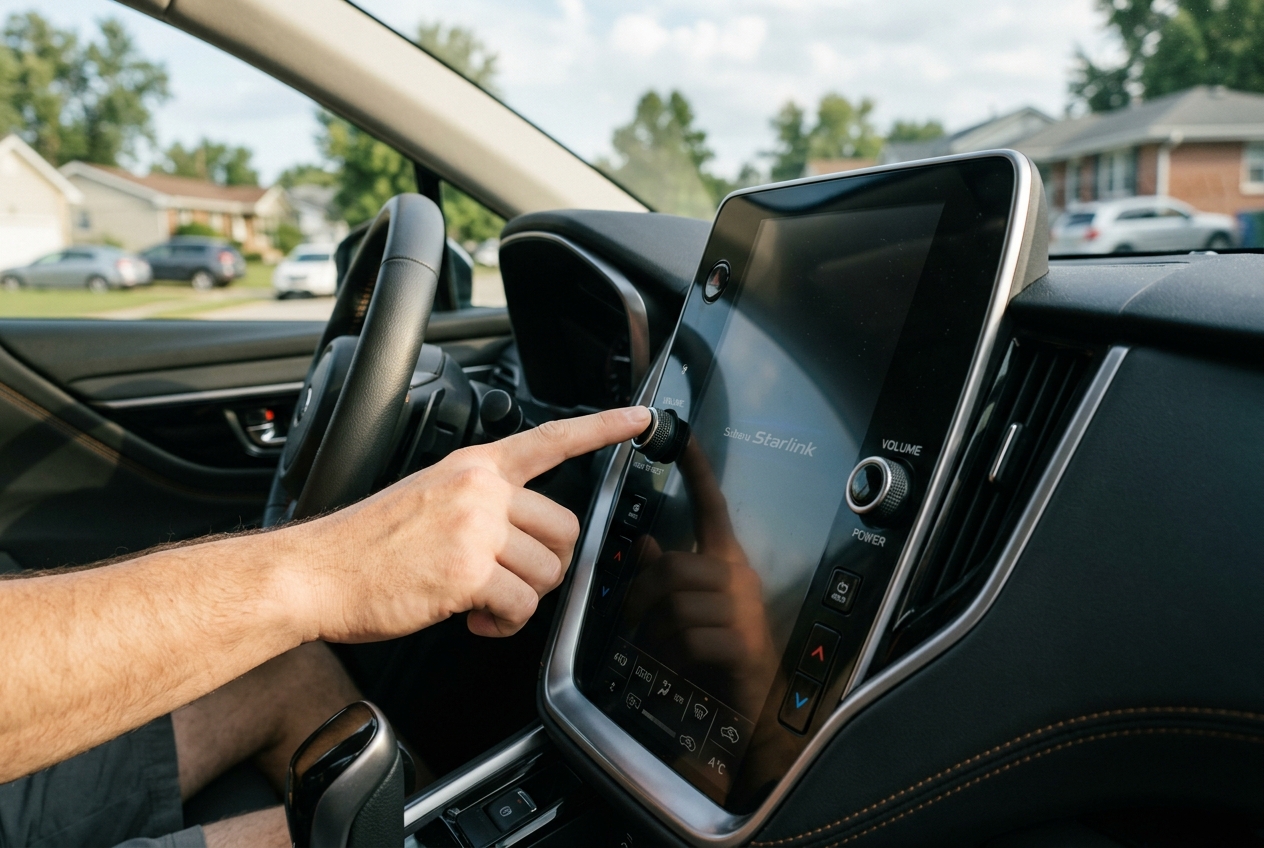
The centerpiece of modern Subaru cabin technology is the available high-resolution 11.6-inch STARLINK Multimedia touchscreen. Designed with tablet-style intuitive touch response, this vertical display centralizes navigation, entertainment, climate, and driver settings into a seamless interface.
• Split-Screen Display Capabilities: Simultaneously monitor navigation route directions on the upper display tile while managing audio playlists or climate controls on the lower screen. • Customizable Widget Layouts: Drag and drop your favorite controls—such as X-MODE® traction settings, favorite contacts, tire pressure displays, or weather apps—directly onto the home screen. • Physical Rotary Controls: Subaru retains physical rotary knobs for quick volume and tuning adjustments, along with tactile buttons for instant driver/passenger temperature control. • Integrated Vehicle Systems: Monitor driver assistance settings, vehicle tilt angles, and EyeSight® system metrics directly through high-definition graphics available across our New Subaru Ascent Inventory.
Should You Get Built-In Navigation or Just Use Phone Mirroring?
One of the most frequent questions from buyers exploring our New Subaru Crosstrek Inventory is whether to select built-in STARLINK Navigation powered by TomTom® or rely exclusively on wireless Apple CarPlay® and Android Auto™ smartphone mirroring. Embedded TomTom® Navigation Benefits:•Offline Signal Reliability:Operates via direct satellite GPS signals, guaranteeing continuous guidance even when driving through zero-cellular coverage areas in remote state parks. •Integrated Gauge Cluster Prompts:Turn-by-turn direction arrows and distance meters display directly within the instrument cluster behind the steering wheel. •Voice-Command Integration:Supports natural voice prompts for addressing destinations without draining phone battery power or cellular data. Phone Mirroring (Apple CarPlay / Android Auto):
• Provides real-time crowd-sourced traffic updates via Google Maps, Apple Maps, or Waze.
• Syncs seamlessly with personal calendar events, messaging apps, and custom streaming playlists. Combining both gives you maximum versatility for both suburban St. Louis commutes and off-grid adventures.
How Do You Set Up and Activate the STARLINK Wi-Fi Hotspot?
Step 1: Access System Menu
Turn on your Subaru ignition. On the 11.6-inch STARLINK touchscreen, select Settings, navigate to the Wi-Fi Hotspot tab, and toggle the Wi-Fi Hotspot switch to the ON position.
Step 2: Connect Devices
Select ‘Wi-Fi Settings’ to view your network SSID name and auto-generated security password. Up to eight devices—including tablets, laptops, and smartphones—can connect simultaneously over high-speed 4G LTE powered by AT&T.
Step 3: Manage Subscription
Manage data plans directly through your MySubaru account or AT&T portal. Check out models in our New Subaru Solterra Inventory to experience next-generation connected EV road trips.
Is Subaru STARLINK Free for New Car Buyers and Is It Worth the Subscription Cost?
When purchasing or leasing a new vehicle at Sunset Hills Subaru, buyers receive generous complimentary trial subscriptions to STARLINK services:
• STARLINK Safety Plus: Includes a 3-year complimentary trial subscription on eligible new vehicles, covering Automatic Collision Notification, SOS Emergency Assistance, and diagnostic alerts. • STARLINK Security Plus: Offered as a standard subscription package, adding remote start with climate control, stolen vehicle recovery, and remote lock/unlock. Is the Subscription Worth It Long-Term?
For the vast majority of drivers in Sunset Hills and Ladue, the nominal annual renewal fee for current pricing delivers exceptional ROI. The ability to preheat your cabin in winter, locate your car in crowded parking structures, and benefit from immediate emergency dispatch during accidents provides priceless peace of mind. Explore current inventory and offers.
How Do You Connect a Smartphone to Subaru STARLINK in Your New Vehicle?
Wireless Apple CarPlay® & Android Auto™ Pairing
1. Ensure Wi-Fi and Bluetooth are turned ON on your smartphone.
2. On the STARLINK screen, tap Phone>Add Device. 3. Select your phone from the prompt list and verify the 6-digit PIN on both screens. 4. Accept the prompt on your phone asking to enable Wireless Apple CarPlay or Android Auto. 5. Future connections will launch automatically upon entering the vehicle! Check out models with wireless phone integration in our New Subaru Impreza Inventory.
Managing Multiple Household Drivers
STARLINK allows you to pair up to five distinct smartphone devices. Through the ‘Device Management’ settings menu, you can assign device priority (e.g., primary driver vs. spouse), ensuring the correct smartphone automatically connects when both drivers enter the cabin together.
How Do You Perform a Soft Reset on a Subaru STARLINK Touchscreen?
Quick Soft Reset Steps
If your touchscreen occasionally freezes or fails to connect to Apple CarPlay/Android Auto, perform a soft reset:
1. Press and hold down the physical Power / Volume Knob continuously for 10-12 seconds.
2. Release the knob once the display screen turns off and reboots with the Subaru logo background.
When to Visit Service
If touchscreen lag or connectivity issues persist after a soft reset, your system may require an over-the-air (OTA) software update or an in-dealership firmware flash. Call us at (314) 476-9638 to speak directly with a factory-trained technician.
How MySubaru Features Support Daily Commutes in Sunset Hills and Ladue
Living and driving in the greater St. Louis metropolitan area presents unique daily challenges—from blistering summer humidity to sudden winter sleet, heavy shopping center congestion, and busy family schedules. The MySubaru app integrates directly into your daily routine in meaningful ways:
• Vehicle Locator in Busy Parking Structures: Can’t remember where you parked at West County Center or Plaza Frontenac? The vehicle locator feature renders real-time GPS pin locations and walking directions directly to your smartphone. • Teen Driver Boundary & Speed Monitoring: Set localized Geofence boundaries and speed thresholds when secondary drivers take the vehicle out across Sunset Hills or Ladue, receiving instant smartphone alerts if parameters are exceeded. • Tire Pressure & Range Diagnostics: Check individual tire pressures (PSI) and remaining fuel or battery range before heading out on Interstate 270. Planning an upgrade? Get your value trade online in minutes.
How Do You Manage Maintenance Alerts and Service Scheduling via MySubaru?
Real-Time Diagnostic Alerts
If a check engine light or warning indicator illuminates, the MySubaru app receives an instant alert detailing the exact issue (e.g., low tire pressure, washer fluid, brake pad wear) along with advice on immediate vehicle operation.
Direct Service Scheduling
No need to phone the dealership during business hours. Select Sunset Hills Subaru as your preferred dealer inside the app, pick your preferred certified technician or time slot, and Schedule Service and Diagnostics in seconds.
Service History Tracking
Every oil change, tire rotation, and inspection completed at Sunset Hills Subaru is automatically logged into your MySubaru digital history ledger. Help manage maintenance costs by reviewing Current Service and Parts Specials.
What Are the Biggest Long-Term Benefits of Subaru STARLINK and MySubaru Integration?
Investing in a vehicle with connected technology yields multiple benefits throughout the ownership experience:
1. Enhanced Occupant Safety & Rapid Response: Automatic collision assistance can help connect you with emergency services more quickly when minutes matter most. 2. Superior Resale & Trade-In Value: A fully documented digital service history maintained inside the MySubaru network proves meticulous owner care, fetching top dollar when trading in. 3. Daily Climate Comfort: Stepping into a pre-heated or pre-cooled cabin transforms seasonal driving comfort. 4. Genuine Part Protection: Easy scheduling ensures genuine OEM components are used for repairs. Need genuine accessories? Find Subaru Parts directly online.
Service Scheduling, Climate Presets, Vehicle Location
Total Smartphone Control & Maintenance Management
Test Drive a STARLINK-Equipped Subaru at Sunset Hills Subaru Today
Ready to experience the ultimate fusion of safety, comfort, and intelligent connectivity? The team at Sunset Hills Subaru is here to guide you through every feature of the MySubaru app and Subaru STARLINK system. Our knowledgeable Subaru Technology Specialists will walk you through live demonstrations, assist with initial app pairing, and configure your custom climate presets before you drive off the lot.
Visit our showroom located at 10100 Watson Rd, Sunset Hills, MO 63127 to explore our full line of new and pre-owned vehicles. Get Directions to Sunset Hills Subaru or contact our sales department today at Call us at (314) 476-9638 to schedule your personalized tech demonstration!